

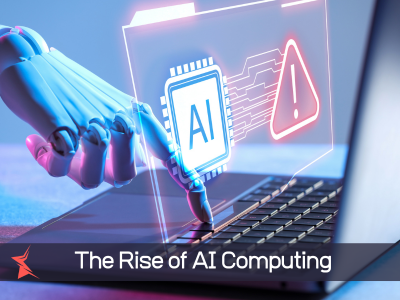
Hey there! At Star Computer Services, we help businesses and individuals navigate the ever-changing world of technology. If you’ve been shopping for a new laptop or desktop lately, you’ve probably seen the buzz around “AI computers” or “AI PCs.” These aren’t sci-fi machines that think for themselves—they’re the next evolution of everyday computers designed to handle artificial intelligence tasks right on your device.
In this post, we’ll break down exactly what AI computers are, why manufacturers are building them this way, the exciting benefits they offer, and some honest drawbacks to consider. Whether you’re running a small business in Houston or just need a reliable home setup, we’ll help you decide if it’s time to upgrade.
What Exactly Are AI Computers?
Traditional computers rely mainly on a CPU (central processing unit) for general tasks and sometimes a GPU (graphics processing unit) for graphics or heavy calculations. AI computers, often called AI PCs, add a specialized Neural Processing Unit (NPU)—a chip designed specifically for artificial intelligence workloads.
This NPU handles AI tasks locally on your device instead of sending everything to the cloud. Think of it like having a dedicated assistant built into your hardware that can process smart features quickly and efficiently.
Many of these are Copilot+ PCs from Microsoft and partners. They typically include a powerful NPU (40+ TOPS—trillions of operations per second), plenty of RAM (16GB+), and run Windows 11 with advanced AI features. Brands like HP, Dell, ASUS, and others offer them with processors from Qualcomm, Intel, and AMD.
Why Are Computers Now Being Built with AI?
The simple answer: AI is becoming part of our daily digital lives, but constantly relying on the internet (cloud) has limitations—slow connections, higher costs, privacy risks, and latency (delays).
Manufacturers are integrating AI hardware because:
- Demand for smarter tools — Features like real-time transcription, image generation, smart photo editing, and productivity assistants need serious processing power.
- Efficiency — Local AI uses less battery and runs faster than cloud-dependent tasks.
- Privacy and security — Keeping sensitive data on your device reduces risks of data breaches during transmission.
- Future-proofing — As AI software evolves (think enhanced Windows Copilot, creative tools, and business apps), older machines won’t keep up without the right hardware.
It’s not just hype. AI PCs represent a shift toward computers that feel more intuitive and helpful, adapting to how we actually work and create.
Key Benefits of AI Computers for Users
Here’s why many people and businesses are excited about AI PCs:
- Faster and More Responsive Performance: The NPU offloads AI tasks, so your CPU and GPU stay free for other work. This means smoother multitasking, quicker app responses, and features like instant photo searches or meeting summaries that happen in real time.
- Better Battery Life: By handling AI efficiently on-device, these computers sip power instead of draining the battery with constant cloud uploads. Many users enjoy all-day usage on a single charge.
- Enhanced Productivity and Creativity: Imagine live captions with real-time translation, automatic meeting notes, AI-powered editing in apps like Photoshop or Office, or even “Recall”-like features that help you find anything you’ve seen on screen. Great for professionals, students, and content creators.
- Improved Privacy: Sensitive information (documents, photos, conversations) stays on your device rather than traveling to distant servers.
- Offline Capabilities: Many AI features work without an internet connection—perfect for travel or areas with spotty Wi-Fi.
At Star Computer Services, we’ve seen clients in creative fields and remote work setups notice big time savings with these tools.
Potential Disadvantages and Concerns with AI Computers
No technology is perfect. Here are some important points to weigh:
- Higher Upfront Cost: AI PCs often come with premium pricing due to the advanced hardware. Not everyone needs the extra power right now.
- Learning Curve and Software Maturity: While features are improving rapidly, some AI tools still feel new or experimental. Not all apps fully utilize the NPU yet, so benefits vary by use case.
- Data Privacy Within the Device: Even with local processing, you need to trust how the AI handles your personal data. Features that index your activity (like screen history) raise valid questions—always review settings and permissions.
- Overhype vs. Real Needs: For basic tasks like web browsing, email, and simple documents, a well-optimized regular PC might be plenty. Some IT pros report that the “AI” label confuses more than it helps at this stage.
- Power and Heat: High-performance models can still generate heat or consume more power under heavy AI loads, though NPUs generally help manage this better than older approaches.
- Future Compatibility: Technology moves fast—what’s cutting-edge today might become standard soon. Buying too early could mean missing better options later in the cycle.
Should You Get an AI Computer? Advice from Star Computer Services
If you do a lot of content creation, video calls, data analysis, or want a machine that feels “smarter” and lasts longer on battery, an AI PC could be a fantastic investment. For casual users, upgrading your current setup with more RAM, a solid-state drive, or better security might deliver more immediate value.
At Star Computer Services, we don’t just sell computers—we assess your specific needs, recommend the right hardware, set it up securely, and provide ongoing support. Whether you’re ready for an AI PC or want to maximize your current system, our team is here to help.
Ready to explore AI computers or need expert advice on your tech setup? Contact Star Computer Services today for a consultation. Let’s make technology work better for you!
