

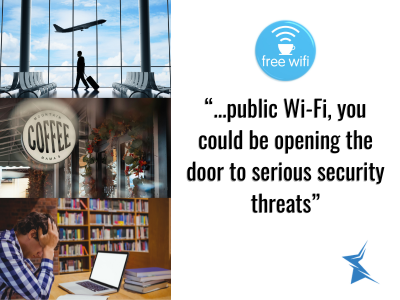
Working from a coffee shop sounds ideal—great coffee, background buzz, and no office distractions. But every time you connect to public Wi-Fi, you could be opening the door to serious security threats. At Star Computer Services, we help businesses stay protected, and one of the most common (and underestimated) dangers we see is the everyday use of public Wi-Fi for work.
Here’s why you should think twice before logging into your company systems on that free network.
What Makes Public Wi-Fi So Risky?
Public Wi-Fi networks are convenient but rarely secure. Unlike your office or home network, they often lack strong encryption and proper security settings. This makes it easy for cybercriminals to intercept data traveling between your device and the internet.
Man-in-the-Middle attacks are particularly common. Hackers position themselves between you and the network, quietly capturing login credentials, emails, client files, or financial information. You won’t even know it’s happening.
Real-World Examples of Public Wi-Fi Hotspots
You encounter these risky networks every day:
- Coffee shops and cafés — Popular spots like Starbucks or local cafés often have open or lightly protected networks.
- Airports and train stations — High traffic areas where thousands connect daily, attracting more attackers.
- Hotels and co-working spaces — Networks shared by many guests with varying levels of security awareness.
- Libraries and community centers — Free access points that prioritize convenience over protection.
- Restaurants and fast-food outlets — Quick stops that many professionals use during travel or lunch breaks.
Even if the network asks for a password, it doesn’t guarantee safety. Many public networks use outdated security protocols.
The Hidden Dangers for Your Business
Using public Wi-Fi for work isn’t just a personal risk—it can affect your entire company:
- Data Breaches — Sensitive client information, contracts, or internal documents can be stolen in seconds.
- Malware Infections — Fake “free Wi-Fi” networks or compromised hotspots can deliver ransomware or spyware directly to your laptop.
- Credential Theft — Hackers can capture usernames and passwords for your email, cloud storage, or company VPN.
Business Email Compromise — Once attackers have access, they can impersonate you or your team to request fraudulent payments. - Compliance Violations — If your business handles regulated data (healthcare, finance, legal), using unsecured networks could breach compliance standards.
We’ve helped several local businesses recover from exactly these scenarios. The cleanup is expensive and time-consuming—prevention is always smarter.
How to Stay Safe on Public Wi-Fi
You don’t have to stop working remotely. Just be smarter about how you connect:
- Use a VPN (Virtual Private Network) — This encrypts your entire connection, making it much harder for attackers to spy on your activity. We recommend business-grade VPN solutions for our clients.
- Enable Firewall and Antivirus — Keep them updated at all times.
- Avoid Accessing Sensitive Accounts — Save banking, client portals, or confidential files for when you’re on a secure connection.
- Use Mobile Hotspot — Your phone’s cellular data is usually far more secure than public Wi-Fi.
- Keep Software Updated — Enable automatic updates for your operating system and apps.
- Two-Factor Authentication (2FA) — Always turn this on so stolen passwords aren’t enough for hackers to get in.
Protect Your Business Before Trouble Strikes
At Star Computer Services, we believe in proactive protection. Our team offers:
- Security audits of your current setup
- Business VPN deployment
- Employee cybersecurity training
- Managed firewall and antivirus solutions
- Remote work security policies
Don’t wait until a data breach happens. The hidden risks of public Wi-Fi are real, but they’re also very preventable.
Ready to strengthen your business security? Contact Star Computer Services today for a free consultation. We’ll help you work confidently—whether you’re at the office, at home, or at your favorite café.
